ArchiveMembers-only message board
Mojo Dojo Casa Clubhouse
mojo-casaA members-only clubhouse where anyone can read the posts, but only members who know the secret password can see who wrote each message and when. A server-rendered Node and Express app with authentication and role-based access.
Node.js · Express · EJS · MongoDB · Mongoose · Passport.js · bcrypt
- Type
- Members-only message board
- Build
- Personal project
- Repos
- Single repository
- Package
- mojo-casa
- Demo
- Archived
Overview
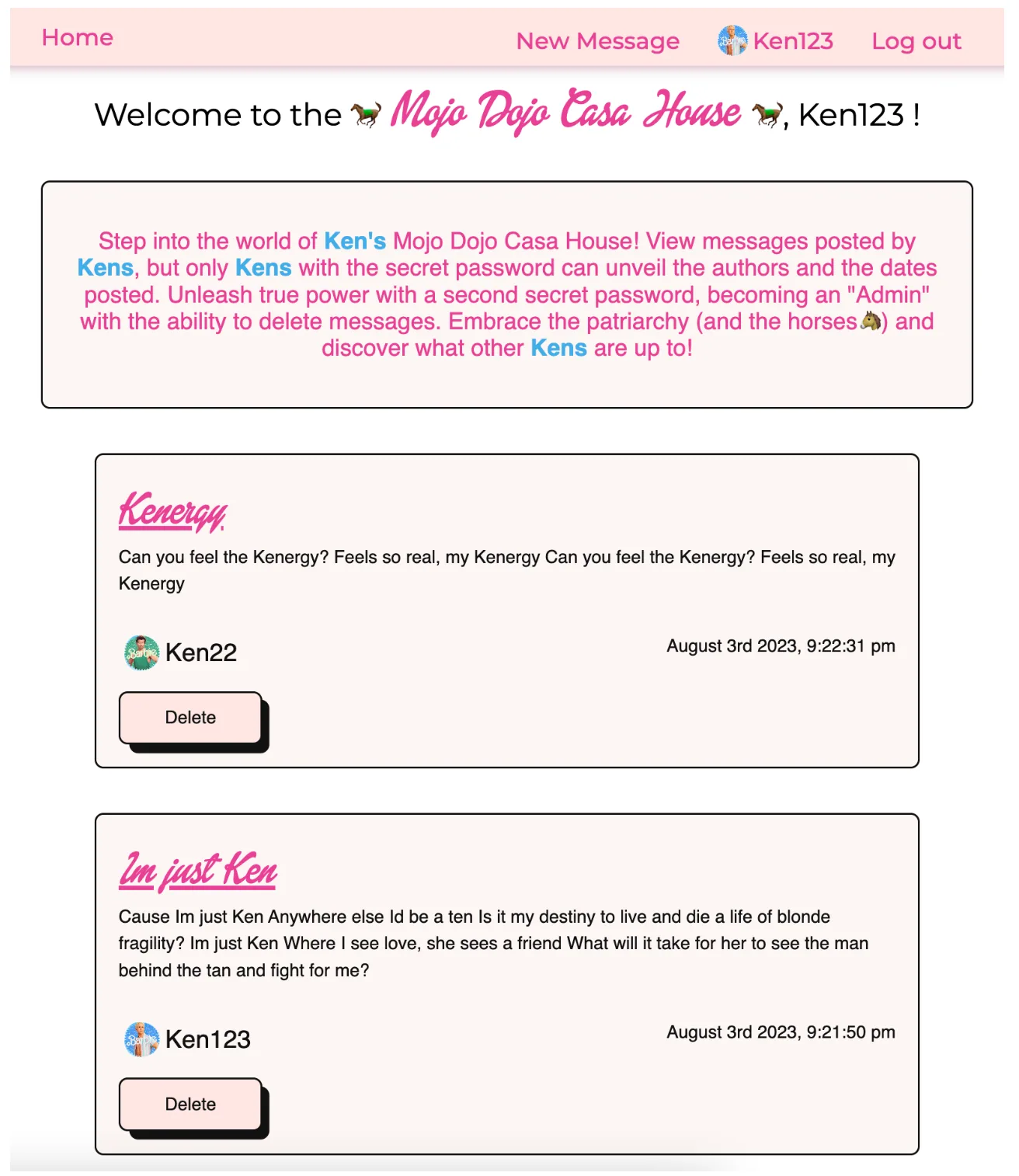
Mojo Dojo Casa Clubhouse is a members-only message board. Everyone can read the posts, but the details (who wrote each message and when) stay hidden until a visitor joins the club with the secret password. It is a server-rendered application: each page is assembled on the server and sent to the browser ready to display.
What I built
A full server-rendered app in Node.js and Express, using EJS templates to build each page on the server. Accounts and sessions run through Passport, passwords are hashed with bcrypt, and posts and profiles are stored in MongoDB through Mongoose, organised across a models, controllers, routes, and views structure.
Key features
- User registration and secure login
- Posting messages and reading everyone's posts
- A members-only view that reveals each post's author and timestamp
- An admin role that can delete posts
- Profile management for username, email, password, and avatar
- A personal dashboard listing your own posts
Technical approach
- Server-rendered pages assembled with EJS templates
- Authentication and session management with Passport.js
- Password hashing with bcrypt
- Data modelled in MongoDB with Mongoose across models / controllers / routes / views
- Server-side validation and sanitisation with Express Validator
- Role-based access control gating the member and admin features
What I learned
- Setting up and configuring a Node.js application with Express
- Handling authentication and session management with Passport.js
- Managing data with MongoDB and Mongoose
- Rendering dynamic pages server-side with EJS templates
- Validating and sanitising user input with Express Validator