Client Work · Digital artwork archive
Boris Pak Gallery
A digital gallery and book-enquiry site built from an unstructured archive of more than 300 artworks.
Next.js · TypeScript · Tailwind CSS · Supabase · Vercel
Chapter 01 · The story and design direction
Overview
Challenge
The client arrived with more than 300 artwork images, inconsistent filenames, incomplete metadata, and no existing website or content system.
Outcome
The project turned the archive into an editorial, image-led gallery with artwork detail pages and book enquiries, supported by a repeatable workflow for cleaning files, processing images, and importing metadata into Supabase.
- Client
- Boris Pak Gallery
- Role
- Product design, visual design, frontend development, data & image workflow
- Stack
- Next.js App Router, TypeScript, Tailwind CSS, Supabase + Storage, Vercel
- Scope
- Artwork archive, category browsing, artwork detail pages, book enquiry flow, content-ingestion workflow
Starting with the artwork
Boris Pak’s daughter came to me with a hard drive containing more than 300 images of her late father’s work. The project was deeply important to her: she wanted a website that would preserve the archive and honour his work.
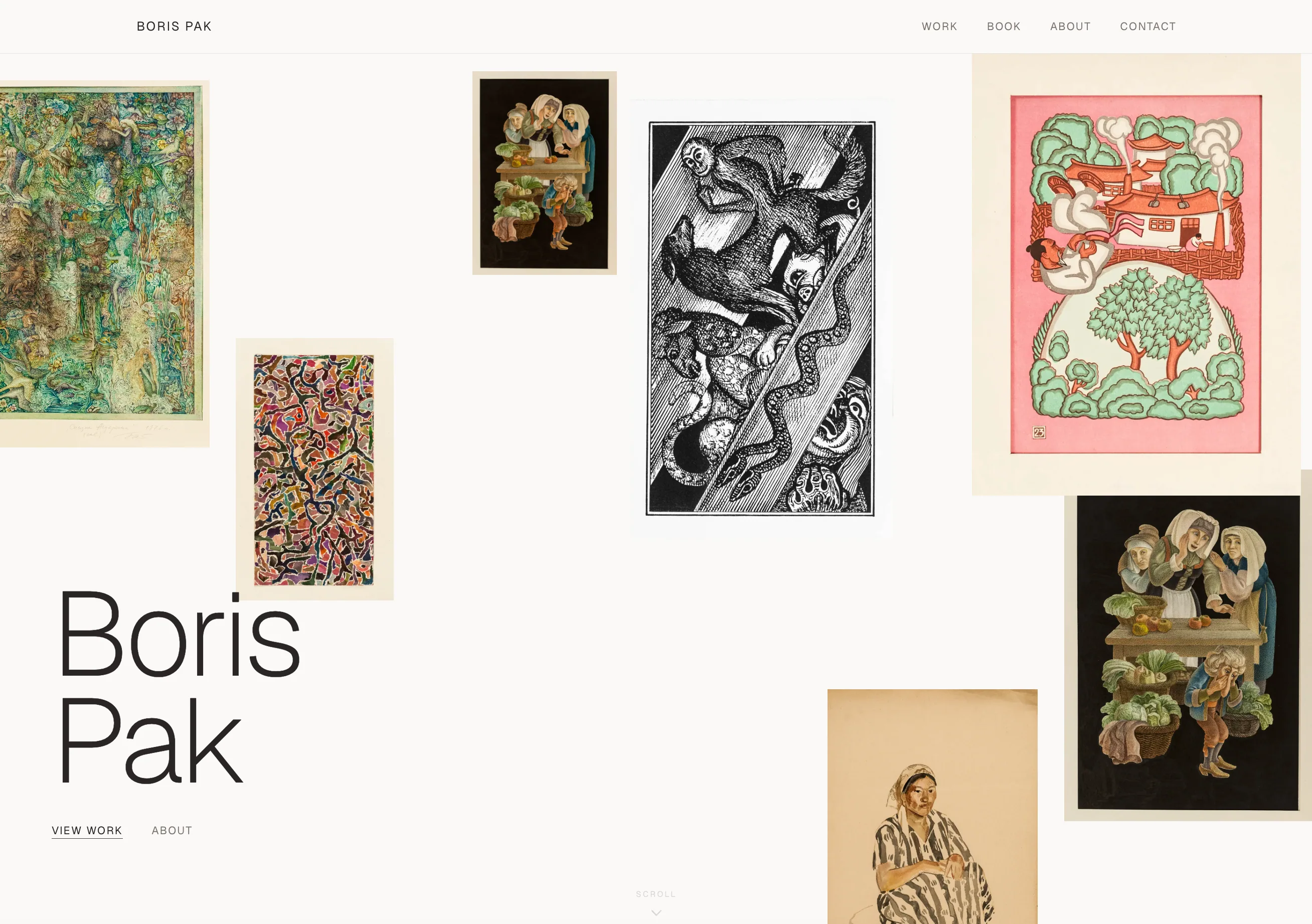
I knew the site had to feel beautiful without competing with the artwork. Every design decision needed to give the work space and let its character lead.
There was no brief, brand book, or sitemap at the start: there was the art. The archive itself had to set the direction for everything that followed.
I researched how artists and galleries present work online and landed on an editorial visual language: asymmetric composition, generous whitespace, large typography, and artwork shown uncropped. The interface needed to feel curated without ever competing with the paintings, sculptures, and works on paper it exists to present.
Designing around the art
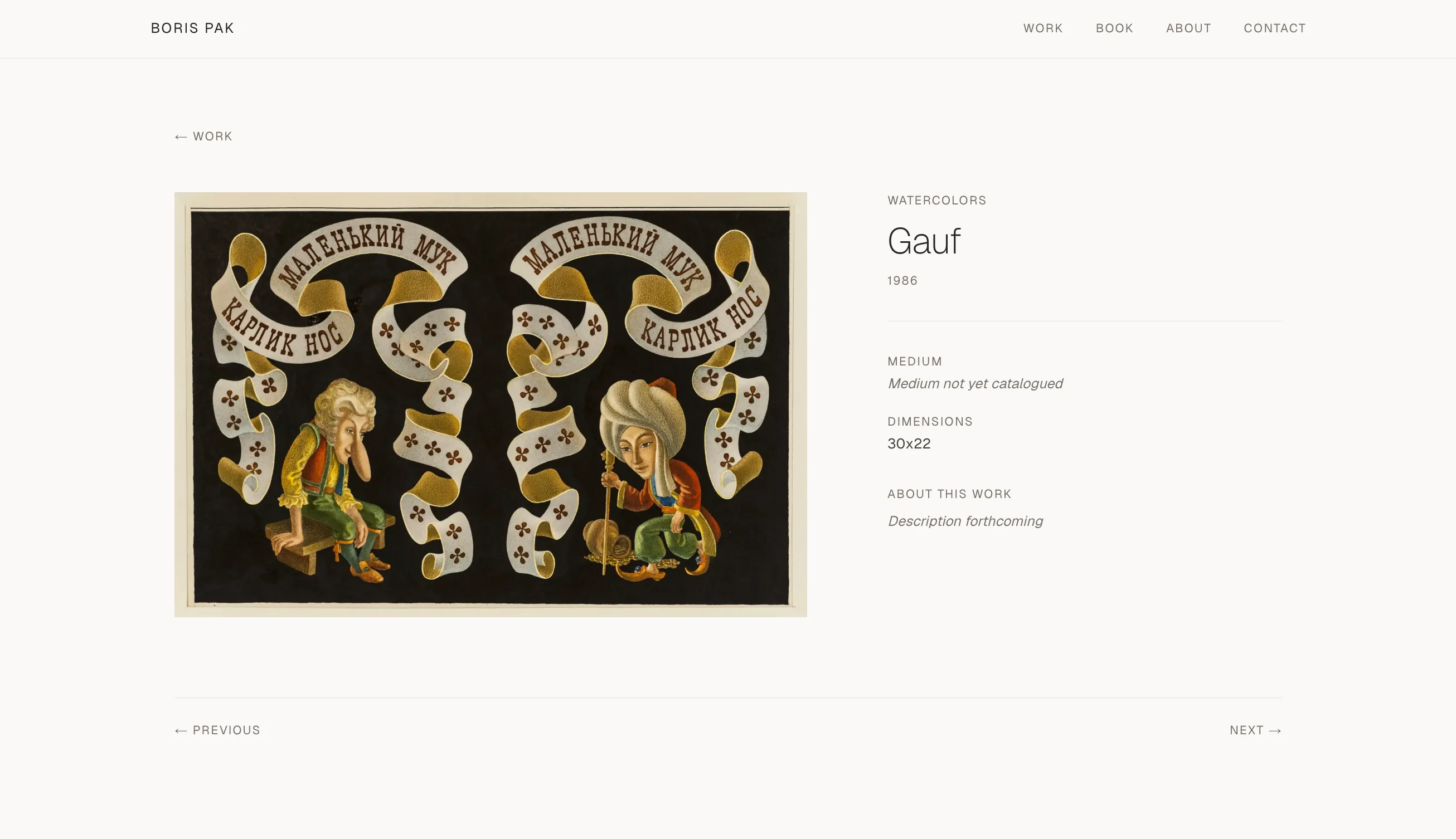
The final system was designed around this archive specifically. Works are shown complete and uncropped, at whatever aspect ratio they were made. Type is large but quiet. Interface elements are reduced to hairlines and small caps, and whitespace does the framing a gallery wall would.
Designing for incomplete data
Where a work’s medium or description hadn’t been catalogued yet, detail pages fall back to honest, neutral labels; the layout was designed for the archive’s real, incomplete state rather than an idealised one.
Extending the editorial system
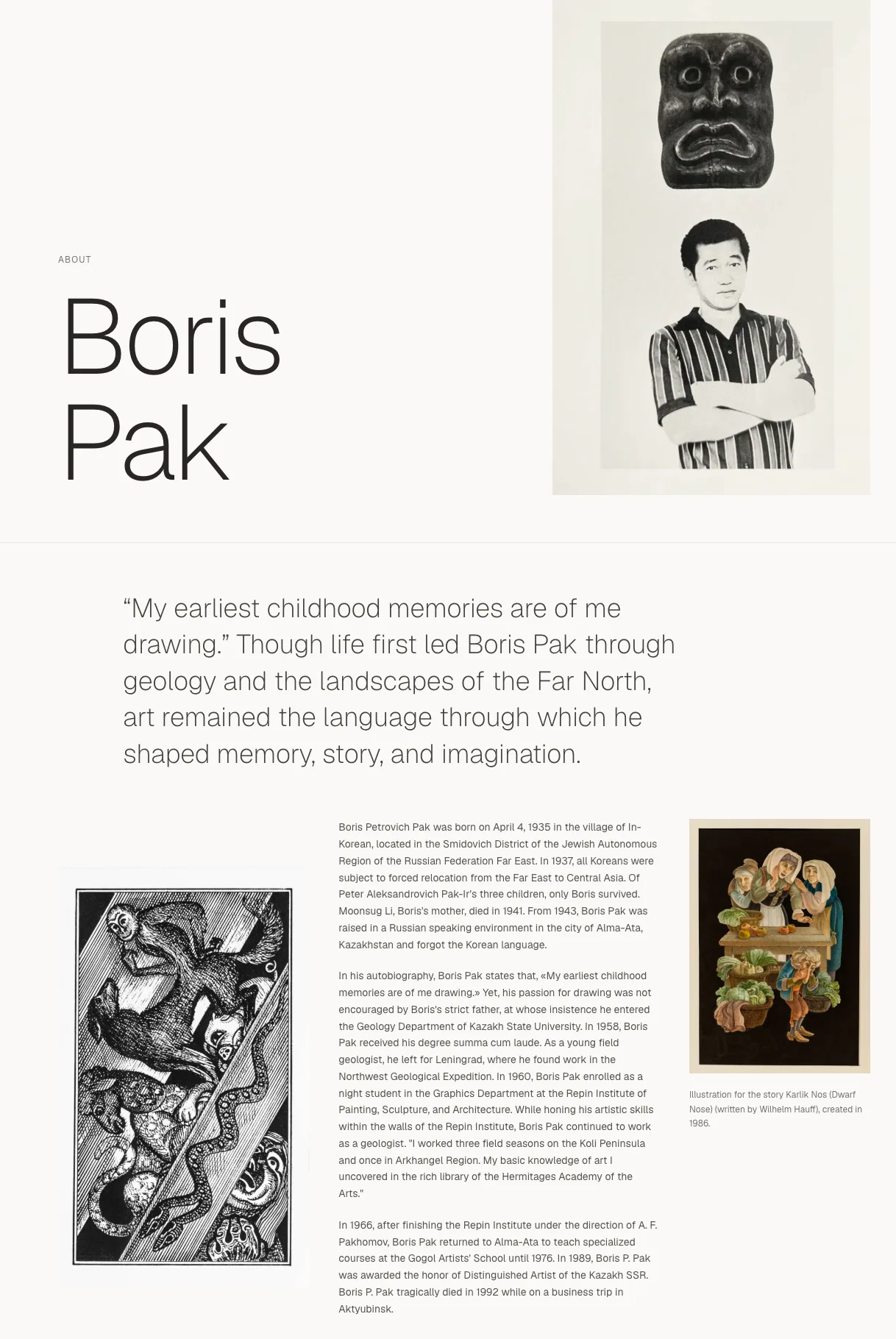
The same editorial system extends beyond the gallery pages. The About page composes the artist’s biography, portrait, and selected works asymmetrically, with an oversized pull quote in the artist’s own words: the page reads like a catalogue essay rather than a template.
Chapter 02 · Turning the archive into a system
From archive to structured content
More than 300 artwork images had to become reliable product data. The archive arrived as category folders of files with wildly inconsistent names: some encoded a title, dimensions, or year; others were generic camera exports with nothing to go on. Most works had no description or incomplete metadata.
Every one of those files needed to end up connected (local original, processed web versions, storage upload, and database record) without anything drifting out of sync.
Before
- Inconsistent filenames
- Category folders
- Missing titles
- Missing dimensions
- Generic camera exports
- Cleaned filenames
- Stable artwork records
- Storage paths
- Metadata fields
- Gallery and detail pages
Two real filenames from the same folder: lithograph_29x21.5, 1984, tush, pero.jpeg carries dimensions and a year; IMG_1234.jpeg carries nothing.
A client-friendly metadata sheet
The remaining titles and descriptions had to come from the client. Instead of trading hundreds of messages, I generated an Excel sheet from the database records, with a thumbnail of each artwork embedded directly in its row, so every work could be identified visually rather than by filename.
| Display order | Thumbnail | Image filename | Category | Title (EN) | Title (RU) | Description (EN) | Description (RU) | Notes | Record ID |
|---|---|---|---|---|---|---|---|---|---|
| 01 | chudesnyj-sad.webp | lithographs | — | — | — | — | — | 1f3a… |
The embedded thumbnail let the client identify each work visually; the em-dash cells marked the fields still to be completed.
The client filled in English and Russian titles and descriptions beside each preview. I included the Russian fields so the site could support a translated version later without restructuring the catalogue.
Missing information was addressed systematically rather than ad hoc, and the completed sheet converted straight back into Supabase records. Naming stayed consistent on both sides, and mismatches between images and metadata largely disappeared.
The image & metadata pipeline
Python scripts turned the raw folders into everything the site needs, deterministically and repeatably, so the archive could be reprocessed at any time without touching a single original file.
Scan the archive
Walk the five category folders (lithographs, paintings, sculptures, sketches, watercolors), validating image types before anything else runs.
Parse every filename
Extract dimensions and years where the filename carries them (tolerating Latin and Cyrillic separators), detect generic camera names like IMG_1234, and transliterate Cyrillic titles for slug generation.
Name things properly
Generate web-safe filenames, unique URL slugs, and neutral numbered catalogue titles for works whose filenames held no usable title.
Process the images
Copy renamed originals into a separate folder (source files are never modified) and produce two WebP versions of each work, a thumbnail and a larger display file, per category.
Write the outputs
Emit a rename map as a full audit trail, plus an artwork CSV ready to import directly into Supabase.
What the pipeline produces
- renamed-originals/
- traceable copies of every source file
- <category>_thumbs/
- optimised WebP thumbnails
- <category>_display/
- larger WebP display versions
- rename-map.csv
- original → renamed → final web path
- artworks-import.csv
- Supabase-ready artwork records
The rename map is what keeps the whole system honest.
For every artwork, it records the original file, renamed original, final web path, extracted metadata, and database record: one row connecting the physical archive to the site.
The pipeline is invisible to visitors, but it shapes how quickly and reliably the archive can be explored.
One relative image path
One stored path could resolve to both the browsing thumbnail and the full artwork image.
Each database record stores a single relative image path. The frontend prepends whichever Supabase Storage bucket a context needs (thumbnails for browsing, display files for detail pages) so one value resolves to both image versions.
That one decision kept the CSV imports simple, the data portable, and debugging straightforward: a thumbnail and its display version can never point at different artworks, because there is only one path to get wrong.
Stored once in the database
lithographs/chudesnyj-sad.webp
artwork-thumbs/lithographs/chudesnyj-sad.webp
artwork-display/lithographs/chudesnyj-sad.webp
Image performance
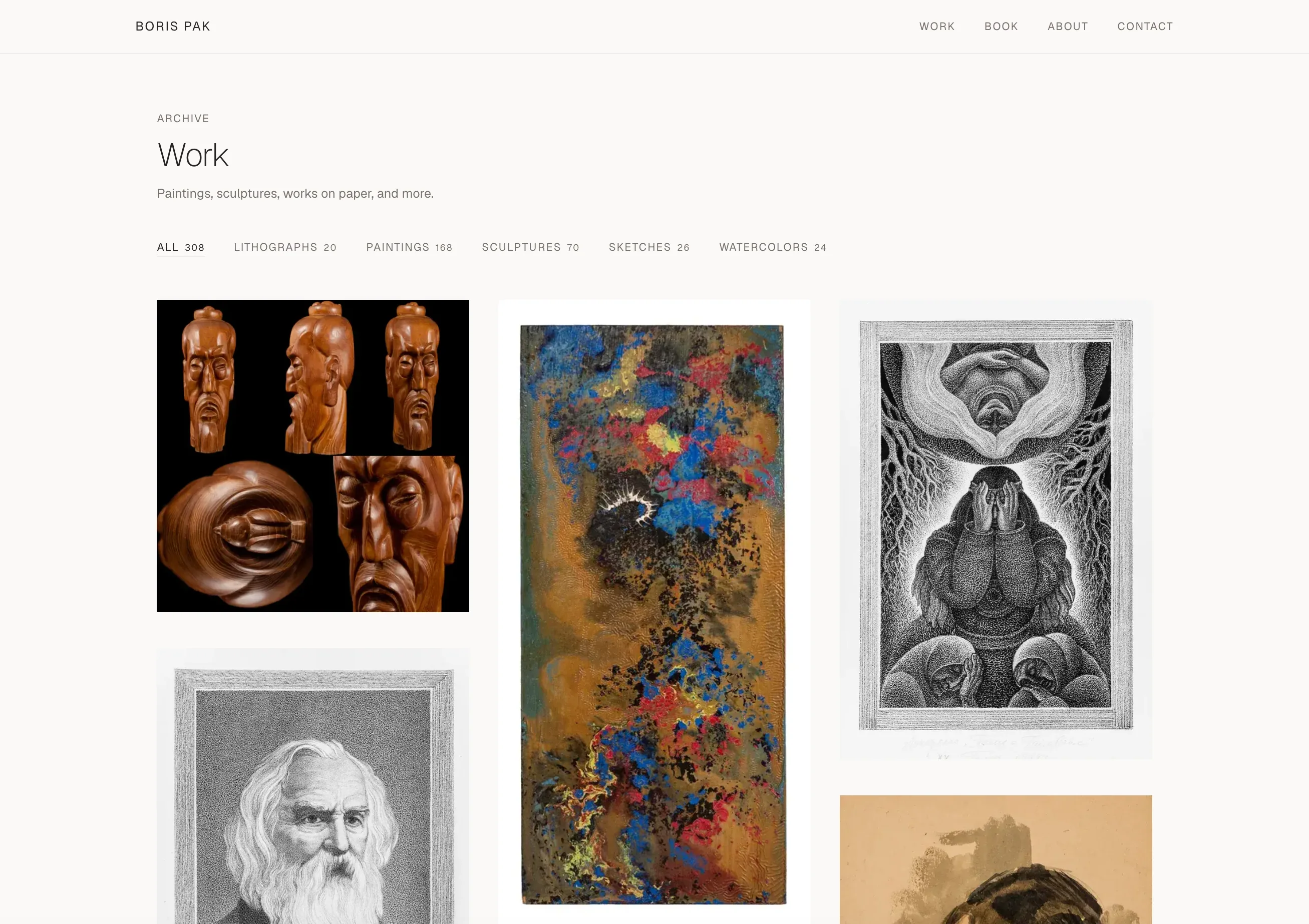
A gallery with hundreds of works cannot serve full-size files in every grid cell. The pipeline creates two WebP versions for different viewing contexts.
Browsing
Light, optimised thumbnails keep the archive grid fast to load and scroll.
Viewing
Larger display versions preserve quality when a visitor focuses on a single artwork in detail and lightbox views.
Chapter 03 · Building a practical product
Building the product
The public site was built with the Next.js App Router, TypeScript, and Tailwind CSS, reading artwork records from Supabase and images from Supabase Storage, deployed on Vercel. It shipped with:
Explore
- An image-led homepage introducing the artist and archive
- A work archive with category filtering across all 308 pieces
- Dynamic artwork routes with detail views and an image lightbox
Learn
- An About page telling the artist's story alongside his work
Enquire
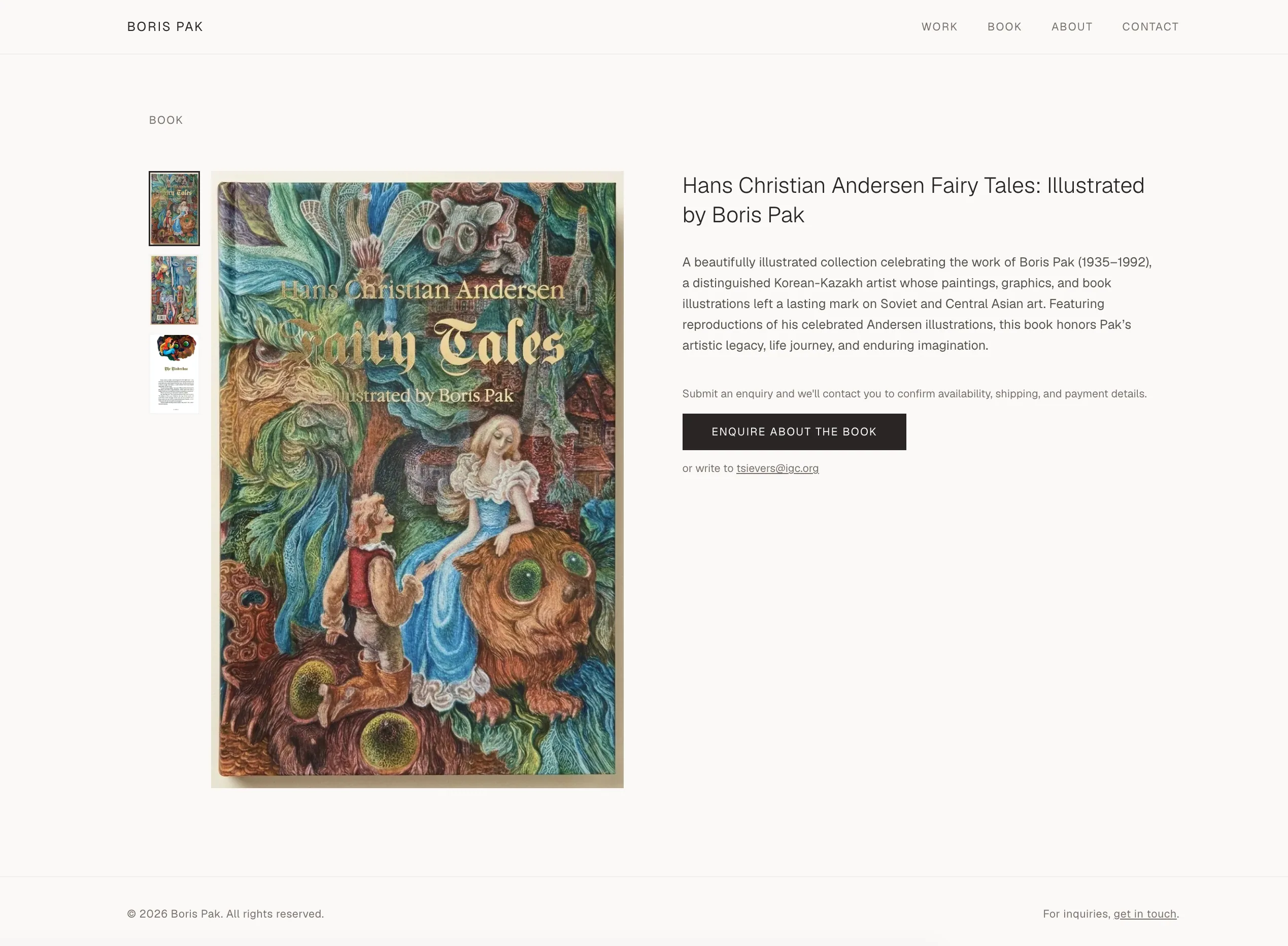
- A book page with an enquiry flow
- Contact functionality
What I deliberately did not build
Decision 01
No admin dashboard in the initial version
Used instead
Supabase plus the CSV-import workflow already handled hundreds of records and future metadata updates, without weeks of admin-interface scope that the project didn’t yet need.
Decision 02
No Stripe checkout at launch
Used instead
A book-enquiry flow. The client had only a limited number of copies available and wanted to gauge interest before setting up payments. The enquiry flow lets her collect requests first, understand demand, and add checkout later if it becomes useful.
Lightweight infrastructure
I kept the operating setup deliberately lightweight, using Supabase and Vercel so the client could launch without ongoing infrastructure costs or maintenance overhead.
Supabase pauses free-tier projects that sit idle, so a Vercel cron job calls a small API route every three days, which runs a minimal one-row query against the artworks table. That regular activity keeps the database from being paused between visits: no paid tier, no extra services, one small route.
Chapter 04 · Result & reflection
Result & reflection
The result is a structured digital archive with a visual identity built around the artwork itself.
The client loved the finished project. Behind the public site is a repeatable workflow that keeps files, storage, and database records aligned, gives her a practical way to continue completing the catalogue, and collects interest in the book.
The biggest takeaway was that the content pipeline mattered just as much as the interface. For a visual archive, the experience depends as much on image organisation, metadata quality, and performance as it does on page layout.